

Process a MOTO payment
Process a transaction over Mail Order/Telephone Order.
A Mail Order/Telephone Order (MOTO) is a type of transaction where your customer provides you with their payment details over mail, fax, or telephone. emerchantpay’s Lightweight Virtual Terminal allows you to also use MOTO to process in-person transactions from your customers, like you would in a brick-and-mortar store using a POS terminal .
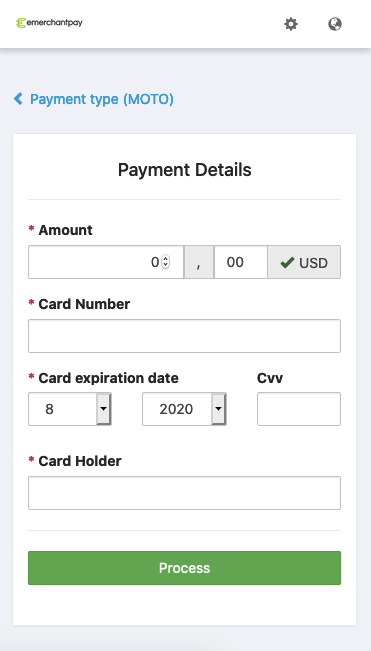


To process a MOTO payment:
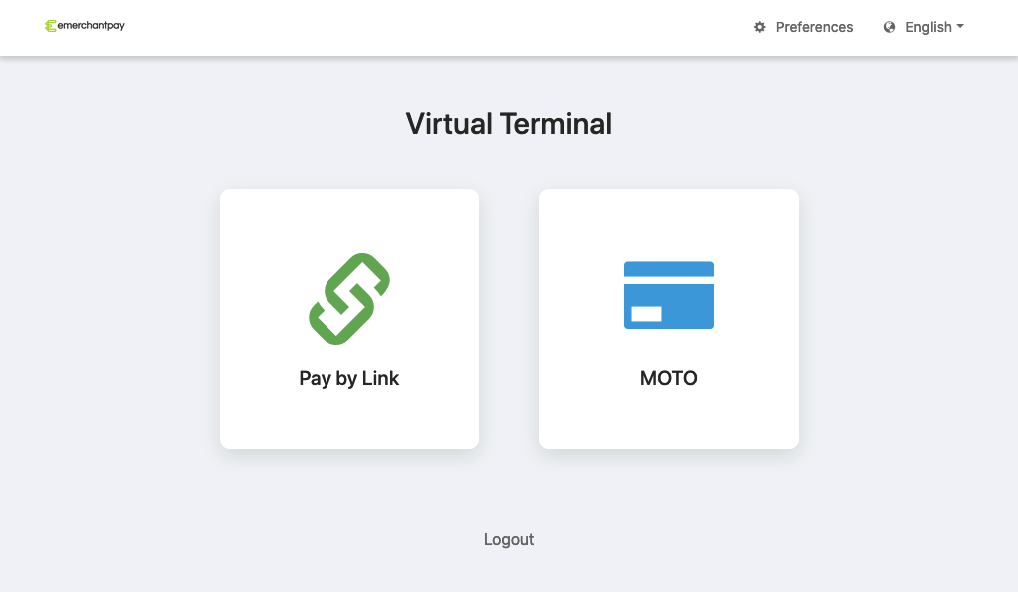
- Log in to the Gateway Console.If you do not have access, see Access the virtual terminal.
- Select MOTO.
- Fill out your customer’s payment information.
- Select Process.
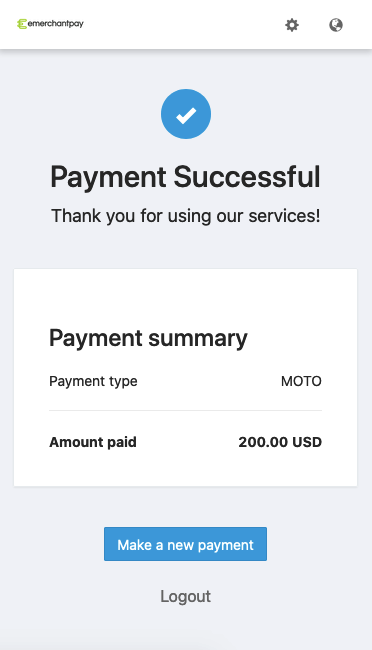
You will see a confirmation screen that indicates the transaction is successful.
For a visual guide on using the MOTO feature with the Lightweight Virtual Terminal, refer to the emerchantpay YouTube channel’s video guides, which cover topics such as processing MOTO payments, using the virtual terminal, and more.